
Every product in every active store
Kaspi product synchronization

Add missing products
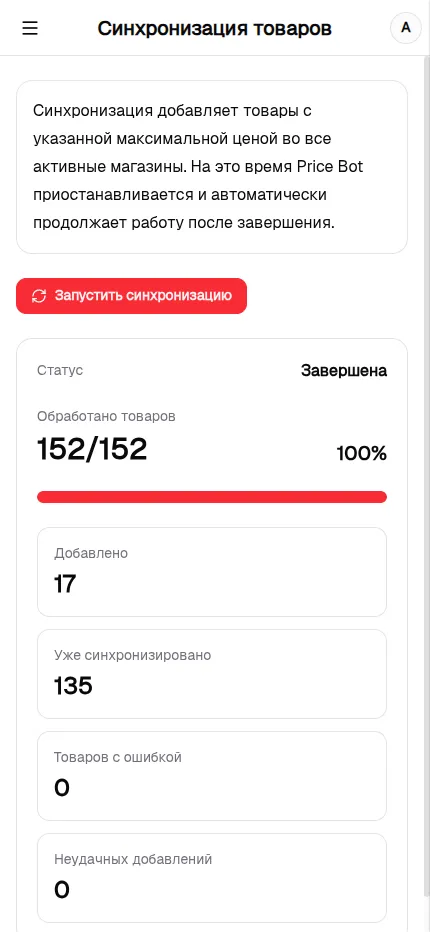
If a product is sold in only some of your stores, Kaspi Bot finds where it is missing and adds it to every other active store. You do not need to find these gaps and connect each store manually.
Which products are synchronized
A product needs a valid maximum price before it can be added. Products already present are skipped, while products without the required setting are not added and appear as errors in the results.
No conflict with price changes
Synchronization and Price Bot share one exclusive queue and never update the catalog at the same time. Synchronization waits for an active pricing cycle to finish, and Price Bot resumes automatically after products have been added.
Live progress and clear results
The page shows how many products have been processed, added, or were already synchronized. Products with errors and failed add operations are reported separately.
Runs only when you start it
Synchronization starts manually from a dedicated button. A regular automated pricing cycle never adds missing products by itself, so you stay in control of when store catalogs change.